Suppliers cannot give comparable prices if they are quoting different products. A request for quotation, or RFQ, is the brief you send to ask for a price. This guide shows what to include: product details, quantity, packing, delivery and tests. It also explains how to handle missing information and proposed changes.
Name the product and drawing version
Start with the product name, internal item code, and drawing or spec version. Add the date and the person who may approve changes. Use clear units for all sizes and values. A number without a unit can cause a costly error.
State the intended use where it helps the seller understand the need. List the material, key sizes, allowed ranges, finish, and required function. A tolerance is the allowed range around a target. The buyer’s engineer or product owner should set or approve it.
If a field is unknown, mark it as a question. Ask the seller to explain its proposal and the effect on price or lead time. This is safer than allowing a guess to become an order requirement. Keep proposed changes apart from approved ones.
Add the details needed for your product
For chips and other standard electronic parts, give the maker’s name and full manufacturer part number, or MPN. Include every suffix. Add the quantity, package, grade, and required condition. A bill of materials, or BOM, is the parts list for the build. Keep each line clear.
A similar-looking part may not be an approved substitute. Ask your engineer to review any proposed change before you place the order. Texas Instruments advises buyers to use its direct or authorized sources. It also warns that false parts can carry markings that look real. A photo alone does not prove source or quality.
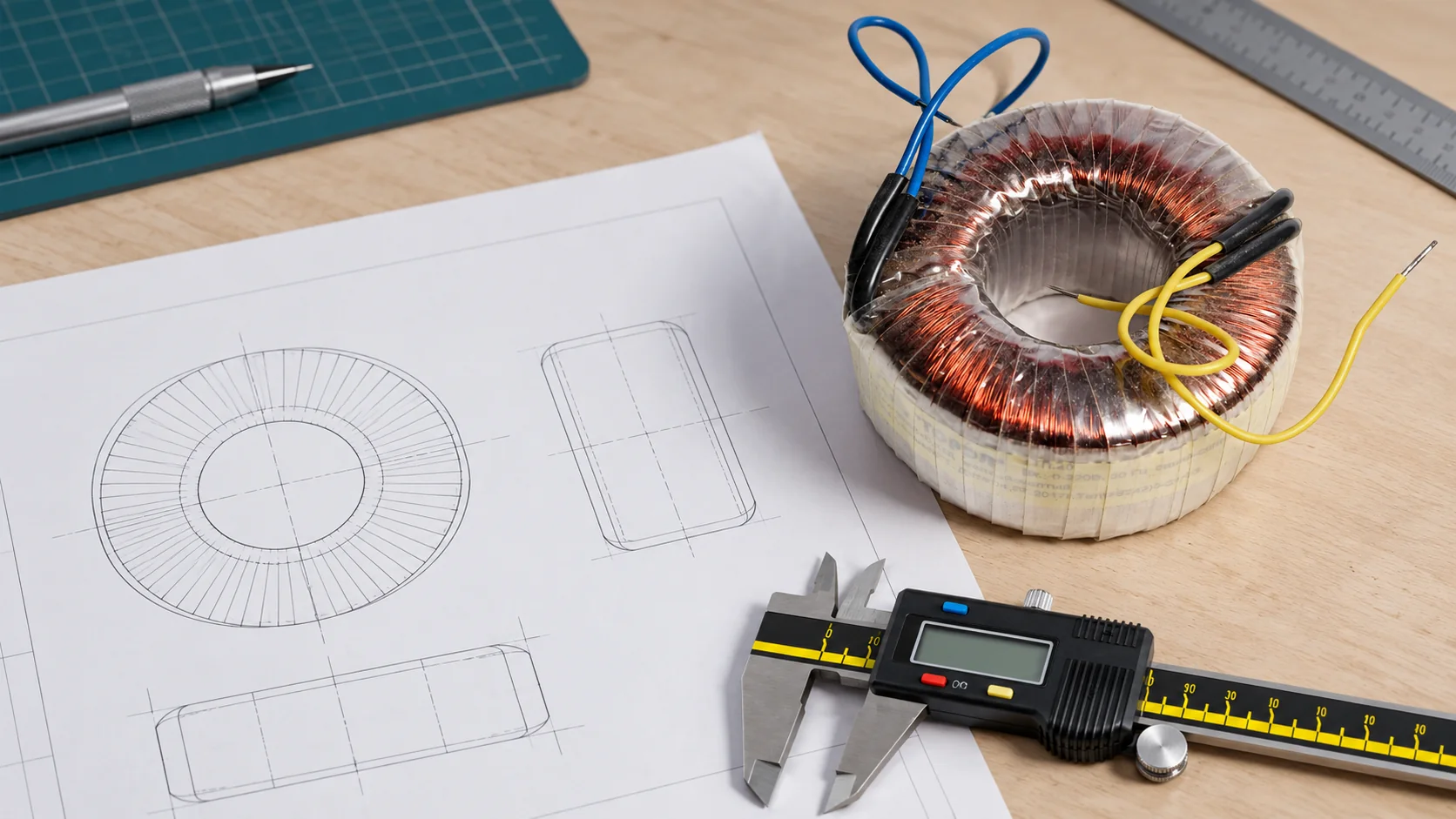
For a transformer, the engineer may need to set input and output ratings, frequency, load, and mounting needs. Hammond’s 200-series tables show how ratings and sizes vary by model. They are examples of detailed product records, not rules for every transformer or proof of stock offered by JFScope.
Include quantity, delivery and extra costs
State the first-order quantity and any expected repeat demand. Make clear that a forecast is not a firm order. Ask for the minimum order size and price breaks. Separate sample, tool, and setup fees from the unit price.
Name the delivery point and trade term. Include the target ready date and ask when the lead time starts. Ask for the currency, quote expiry date, packing size, and gross weight. These details help you compare the full cost, not just the factory price.
State which checks and records are needed. Ask who will pay for samples or special tests. If a seller leaves a cost out, it should say so. An empty cell should mean “not answered,” not “free.”
Example: the missing suffix changes the offer
This is an invented example. A buyer sends a parts list with a short chip name. Two sellers quote it. One offers the required package, while the other offers a different package with a similar base name. The second price is lower.
The buyer adds the full MPN and package to the RFQ. Both sellers must now confirm the exact line or state a proposed alternative. The price gap becomes easier to understand. The engineer can review alternatives without mixing them into the approved offer.
The same principle applies to a custom part. A drawing version, material grade, or size limit can change what the seller is pricing. The brief should make those differences visible before the buyer compares prices.
Once your brief is ready, our supplier research service can help compare candidates against the same product requirements.
Ask suppliers to flag changes and missing items
Give each supplier a simple way to answer. For every key line, ask it to mark one of three states: confirmed, proposed change, or cannot supply. Ask it to explain changes and exclusions next to the relevant line.
- Product identity: maker, full MPN, or drawing version.
- Technical needs: materials, units, key limits, and function.
- Quantity: first order, samples, and non-binding repeat estimate.
- Packing: inner and outer pack, labels, and required records.
- Price: unit tiers, one-time fees, currency, and exclusions.
- Timing: lead-time start, ready date, and delivery point.
Keep the original response and your follow-up notes. Do not overwrite an unclear answer with your own assumption. When the seller corrects a quote, keep both versions so the change can be traced.
Make units and file versions hard to misread
Use one unit system where possible, and label any exception clearly. Put the unit beside the value, not only in a note on the last page. Check decimal marks, dimensions and quantity units. A price per thousand pieces is not a price per piece, and a carton count is not a unit count.
Give drawings and attachments clear names. Include the item code and version, and list them on the RFQ cover sheet. Ask each seller to confirm the files it used. If a file changes, send a change summary so the supplier can see what affects cost, tooling or timing.
Avoid asking sellers to infer hidden details from a photo. A reference image may help explain shape or appearance, but it rarely defines material, tolerances or function. Mark which features the image is meant to show. Add measured drawings or written requirements where the buying decision depends on them.
Send the same updates to every supplier
Suppliers may ask questions about the brief. Review them with the person responsible for the product. If an answer changes the requirements, send that change to every supplier still quoting. Otherwise you may compare prices for different versions without knowing it.
Set a reply date and a contact for unresolved issues. Ask suppliers to separate a firm quote from a budget estimate. A budget estimate may help early planning, but it should list the assumptions that still need checking. Do not treat its price as a commitment for a final design.
Before ordering, write a short list of what you have approved. Name the drawing version, accepted changes and required checks. Link it to the final quote and sample record. The factory should be able to see exactly what to make without piecing together old messages.
Use the approved files for the full order
After technical approval, use the same spec version for the sample record, purchase order, and final check list. Send changes in one dated package. Ask the factory to confirm receipt and state which orders the change affects.
A clear brief helps your team compare offers and keeps later checks tied to what was actually ordered.